Not only does the test executive driver provide a convenient user interface for your test programs, but also it provides a multi-users environment where the administrator creates user groups and user accounts. User group such as “Testers”, “Supervisors”, “Administrators” will be assigned with it’s own set of command menus, toolbars, options and different level of privileges. (Please refer to the TestExecUsers example in the ATEasy Examples.) Each user account will inherit the specific settings of the user group it belongs to. An administrator will have full privileges of the Administrators group.
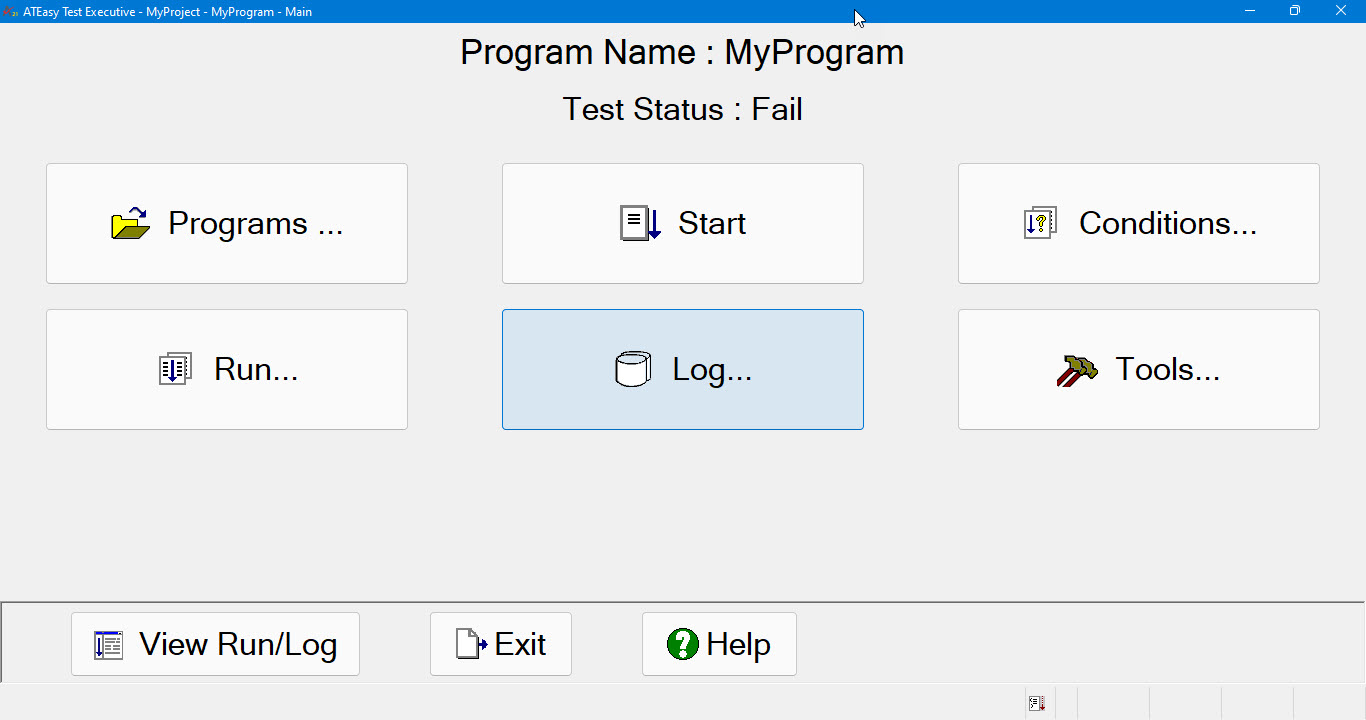
Furthermore, the test executive driver provides two modes of UI operations: Modal and Modeless. The Test Executive main window shown in ‘Using the Test Executive Driver‘ is the modeless user interface where you can access its commands through menus and a toolbar. In Modal Mode, Test Executive does not have menus and a toolbar; instead, it has a series of buttons’ forms, each consisting of command buttons in full screen. The Modal mode is used to support specifically for Touch Screen user interface in which all operations are performed by ‘touching’ the button controls instead of keyboard and mouse operations. It also provides a more directed and ‘simple to use’ user interface. In Modal mode of Test Executive, the main window looks like:
You can switch between the two modes of user interface by opening the Customize or Users dialog (Options Page) from the test executive Tools menu.
In Modal Touch Panel mode, Test Executive uses a virtual keyboard for user input as shown below:

Further information, pleaser refer to Test Executive Help section in this Help.