If a run-time error has not been handled by a try-catch block or by an OnError handler, control passes to the Default Error Handler.
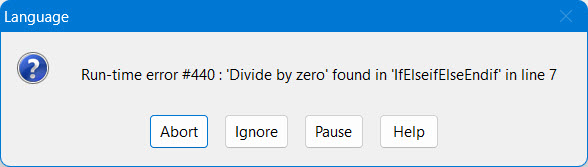
Examples of a Default Error Handler dialog box that lists and describes a non-recoverable run-time error is the following:
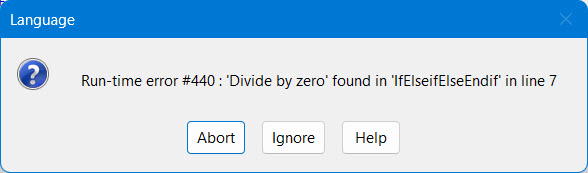
The first example is displayed when running from the IDE and the second one is when you run an executable. Both messages are displayed when diving a number with 0. If the error is recoverable, the Ignore button also shows.
A run-time error can be non-recoverable or recoverable.
A non-recoverable run-time error displays a default error handler dialog box that allows you the option to either Abort or Pause the application.
● Abort terminates the application abnormally (which is different from the Abort for a recoverable run-time error).
● Pause stops the application and ATEasy shows you where the fatal error occurred. During this special pause state, you can examine the application, variables, and any causes for why the error occurred. If you press Continue while in this paused state, the application will terminate. Pause is only available when starting the application from the IDE.
A recoverable run-time error displays a default error handler dialog box that allows you the option to Ignore, Retry, Abort, or Pause the application.
● Ignore continues with the execution to the next statement and bypasses the error.
● Retry repeats the statement that caused the error.
● Abort stops the application with the Abort statement, calling the application's OnAbort events.
● Pause suspend the application and ATEasy shows you where the fatal error occurred. During this special pause state, you can examine the application, variables, and any causes for why the error occurred. If you press Continue while in this paused state, the application will abort. Pause is only available when starting the application from the IDE.