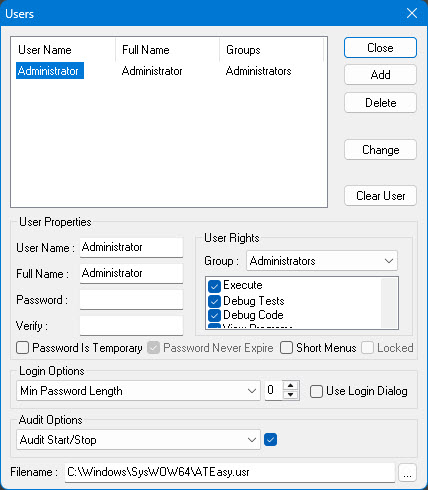
Two settings on the User Dialog (found under the Tools menu) need special attention: Short Menus and Use Login Dialog.
These checkboxes can only be checked by the Administrator or users with the Administrator privilege.
The user must change password after initial login.
This user in excluded from the Max Password Lifetime settings (days).
The Short Menus checkbox, when checked, assigns the user to the second set of menus and toolbars that is stored in the registry. The short and normal set are shared between all users that assigned to them. By default the short menu set restricts the available commands in the IDE menus and displays only commands used to select and run an application. When the user login to ATEasy its user information is retrieved and its menu (short or normal) is applied as assigned to him.
This user in locked after he exceeded Max Login attempts (wrong password) ot exceeded Days of Inactivity.
Login and Password policies. The following options are available:
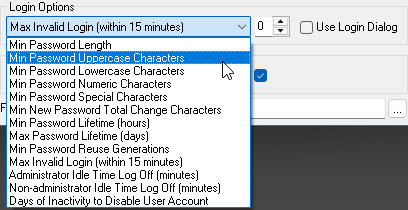
The Use Login Dialog checkbox, when checked, makes ATEasy prompt for user login when ATEasy is started. Any user who wants to use ATEasy must log in.
Options that determine what Login related events are recorded in the Windows Events and can be viewed using Event Viewer. the following options are available:
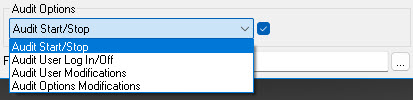
Used to set ATEasy to use a Users File different than the default file name which is stored in the Windows System folder (as shown here). The file can reside in a network file server and shared by multiple workstation. The administrator can limit users from deleting the file or tempering it by removing the delete access right for certain users to this file. This entry can only be modified by administrators users.