Next to Form's Object/Submodule Combo Box and Procedures/Events Combo Box, we have a description button and Form Window State buttons. These buttons were created to help aid to users programming. You can hide and show certain windows so that you only show the current windows that are needed.
Note that The description button will toggle the form's description view; that is, it shows and hides by clicking the button.
The window state buttons allows the user to make the Form view in three states:
Procedures/Events/Variables View |
Form Design View |
Form window buttons shown |
|
Maximized |
Minimized |
|
|
Minimized |
Maximized |
|
|
Normal (Restored) |
Normal (Restored) |
|
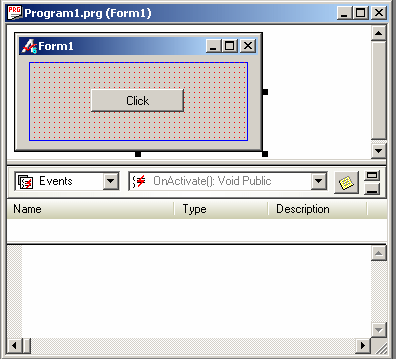
The following shows three states:
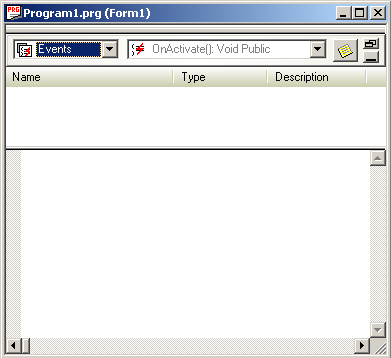
Here we have hidden the Form Design View and see the maximum view of Procedures/Events/Variables view. This will help programming procedures/events and changing variables.
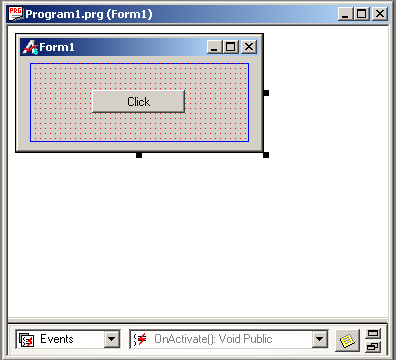
If the minimized button is clicked, the view would be changed to (2) below, and if the restored button is clicked, the view changes to (3) below.
This view would be good during designing a form where we have maximized Form Design window.
This is the normal view where you see both windows - Form design as well as Procedures/Events/Variables.
Note that the description window is hidden.