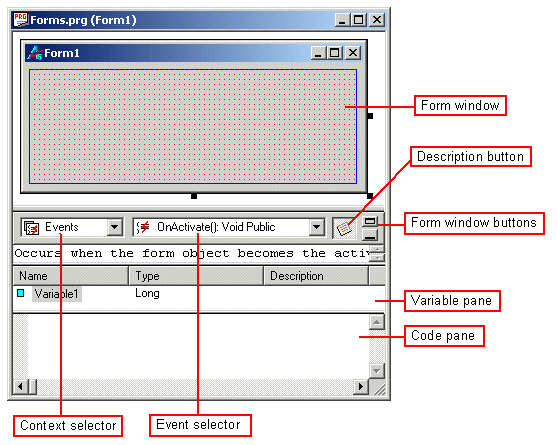
Procedures are linked to forms by means of events. Forms have a group of events associated with them and their components, and any one of them can be used to trigger a procedure. In the visual environment of ATEasy, when you create a form, a panel for procedures is located immediately below the space for variables.
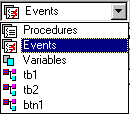
The number and type of events is controlled by the "context selector." The user uses the context selector to pick the component of the form for which events will be listed on the pulldown menu to its right, the event selector. The context selector lists procedures, events, and variables for the form itself, and then lists the controls on the form.
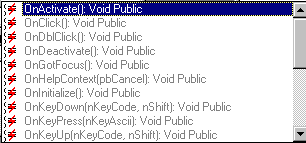
The event selector lists the form events which can trigger a procedure, given the context provided by the context selector.
Once you have selected the context for your event and the event itself, you are ready to add a procedure for the event. You can type code into the code pane at the bottom of the form window.
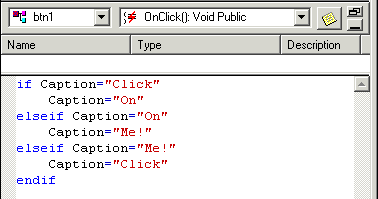
In this case, the context of the event is a button called Btn1. The event for which a procedure is being written is the OnClick() event -- when a mouse button is pressed and released while the pointer is on top of the form button.