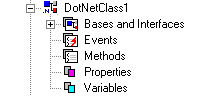
This shows how to use on .Net class variables, properties, methods, and events. For example, we are going to use the class DotNetClass1 in DotNet Assembly in ATEasy Examples:
Note that there are more examples in DotNet.prj in the ATEasy Examples folder.
You can get and set of a variable, sInstanceString as in
s=cls1.sInstanceString
cls1.sInstanceString="1234"
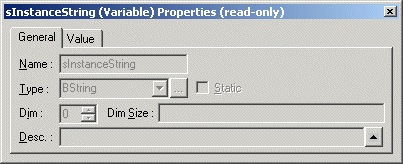
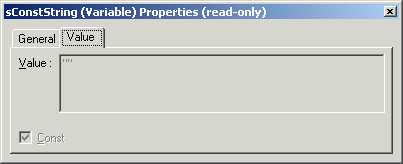
Some of variables are constant variables which you cannot change their values. For example, it is a constant variable, sConstString, you will see in its Value property page.
You can get and set its property:
s=cls1.InstanceProp
cls1.InstanceProp="1234"
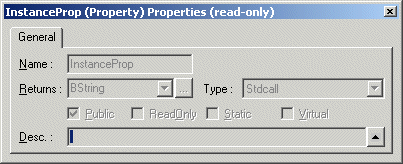
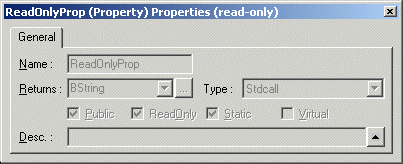
Some properties are read-only - it is marked as Read-Only in its property page:
In the following example all methods are returning a string.
if cls1.OverloadedMethod(0)<>"DotNetClass1.OverloadedMethod.INT"
TestStatus=FAIL
endif
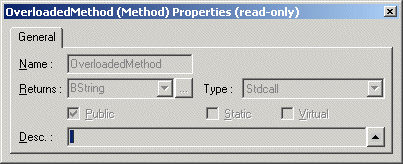
if cls1.StaticMethod()<>"DotNetClass1.StaticMethod"
TestStatus=FAIL
endif

l=0
s=""
if cls1.OverloadedMethod(0, l, "B", s, dt, dt, as, as, adt, adt)<>"DotNetClass1.OverloadedMethod.With_10_Params"
TestStatus=FAIL
endif
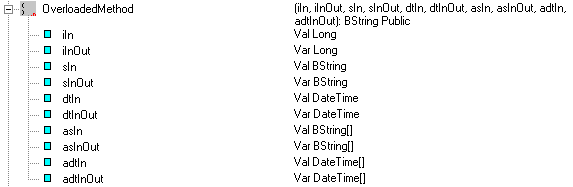
The following shows the definition of the over-loaded method, OverLoadedMethod():
First, you need to create event procedure which is to be invoked upon an event. In the example below, OnEvent() is the procedure of which the first parameter must be the sender .Net object. Next you need to add the handler for the event using AddHandler statement:
! fire class1 event
AddHandler cls1.OnEvent, OnEvent
cls1.FireEvent()
if objEventArgs=Nothing
TestStatus=FAIL
elseif objEventArgs.iClassNumber<>1 AND objEventArgs.sEventDescription<>"Class1 event"
TestStatus=FAIL
endif
Procedure OnEvent(objSender, objEventArgs): Void
--------------------------------------------------------------------------------
objSender: Val Object
objEventArgs: Val CustomEventArgs
{
Program.objEventArgs=objEventArgs
}