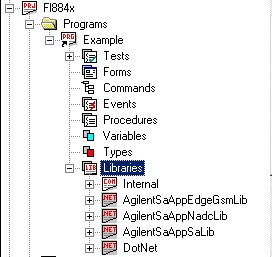
In the ATEasy workspace, select the Libraries submodule ( ) into which you want to insert a .Net Assembly.
Right-click, and select  (Object Below). The Insert Library dialog box will appear. Select the .NET Assemblies Page:
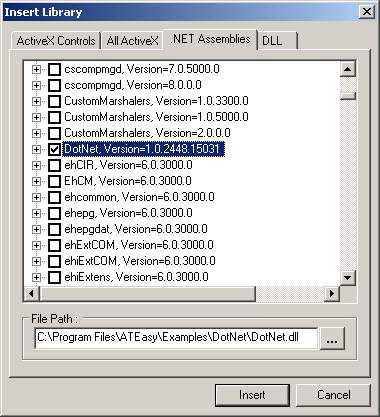
In this page, ATEasy lists all .NET Assemblies, their namespaces, version and their classes and types (if any). When you select an assembly, ATEasy will display its path at the bottom area under the File Path for the selected assembly
.NET assemblies are located and loaded at run time according to the way they were inserted from this page (at design time)..
The assemblies displayed in the page are gathered by looking for assemblies in the project EXE folder and from the .NET GAC folder (Global Assembly Cache) that is located under Windows folder (usually C:\Windows\Microsoft.NET\Framework). The user can insert an Assembly by checking it from the list or by clicking on the Other (browse) button and selecting a file from a different folder. At run time ATEasy locates and loads the assemblies in the following order:
-
If the assembly is inserted by selecting the Other (browse) button than we first look at the specified path.
-
Project EXE folder.
-
GAC folders.
Each assembly once expanded displays the classes and types it contains. The user can import the whole assembly or just the classes that are of interest. Selecting (by using the checkbox next to the class) classes as oppose to selecting the whole library results in faster loading time of the assembly at run or design time. ATEasy will load automatically all the classes being referenced by the classes you selected. You can also reopen this page and add or remove classes at later time.
Once the assembly or the assembly classes are checked you can click the Insert button. The assembly and the selected classes checked will be inserted under the module Libraries as below: