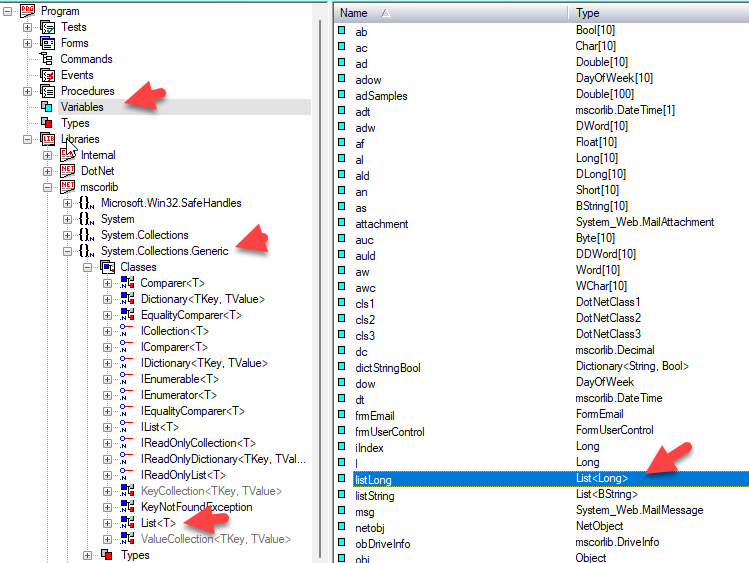
ATEasy provides support for creating and using .Net Generics types
Generics declaration has the following syntax:
GenericClassName < [Type1][, Type 2...] >
The support for .Net Generics syntax was added in ATEasy 2024 (v13), Prior to this version generics was supported in a limited way (see DotNet Example for more information).
For example, using System.Collections.Generic assembly taken from mscorelib (part of .Net Framework), the List<T> generic, where List is a linked list collection, and T is a place holder for a type.
You can define the variables as shown here:
listLong : List < Long>
listString : List < String >
To use the linked list, here is a test code example:
! create a linked list with 3 numbers
listLong=new List<long>
listLong.Add(3)
listLong.Add(1)
listLong.Add(2)
! before sort
if listLong.Item(0)<>3 or listLong.Item(1)<>1 or listLong.Item(2)<>2
TestStatus=FAIL
endif
listLong.Sort(CompareLong)
! after sort
if listLong.Item(0)<>1 or listLong.Item(1)<>2 or listLong.Item(2)<>3
TestStatus=FAIL
endif
listLong=Nothing
! list of String
! listString is defined as List<String>
listString=new List<bstring>
listString.Add("3")
listString.Add("1")
listString.Add("2")
!before sort
if listString.Item(0)<>"3" or listString.Item(1)<>"1" or listString.Item(2)<>"2"
TestStatus=FAIL
endif
listString.Sort(CompareString)
! after sort
if listString.Item(0)<>"1" or listString.Item(1)<>"2" or listString.Item(2)<>"3"
TestStatus=FAIL
endif
listString=Nothing
For more information about .Net Generics see the DotNet Example in your ATEasy Examples folder.