Exporting to ATML Test Results |
Version 7 |
ATEasy provides
a tool to export its test results to ATML
Test Results (.xml files). This export function is provided by ATML.drv
(in ATEasy
Drivers folder) which you can insert to your system and start exporting.
First insert ATML.drv to your current ATEasy
Application. And run your test program followed by the ATML driver
Export Command ( for instance System's OnEndProgram() ) :
ATML
Export TestResult (prg, sXMLFileName)
where 'prg' is the program object (AProgram) that you just ran. 'sXMLFileName' is the file name that you want to export to. A XML file (.xml) of such file name will be generated.
The ATML driver uses XML Schema files (.xsd) : Common.xsd, TestDescription.xsd, and TestResults.xsd which are published by IEEE 1671 (see http://grouper.ieee.org/groups/scc20/tii/).
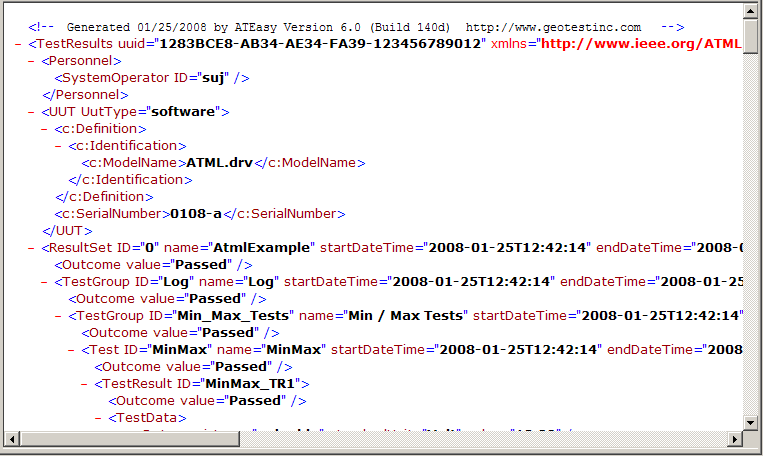
An example of ATML Test results file (.xml) looks like :