Formatting your ATML Test Results Using XSL style sheets |
Version 7 |
Once you exported Test Results to ATML Test Results (to .xml file), you can format it using XSL style sheets.
ATML driver provides three different style sheets :
HTML log files (AtmlToHtml.xls) - similar to ATEasy HTML log
Text files (AtmlToText.xls) - similar to ATEasy Text log
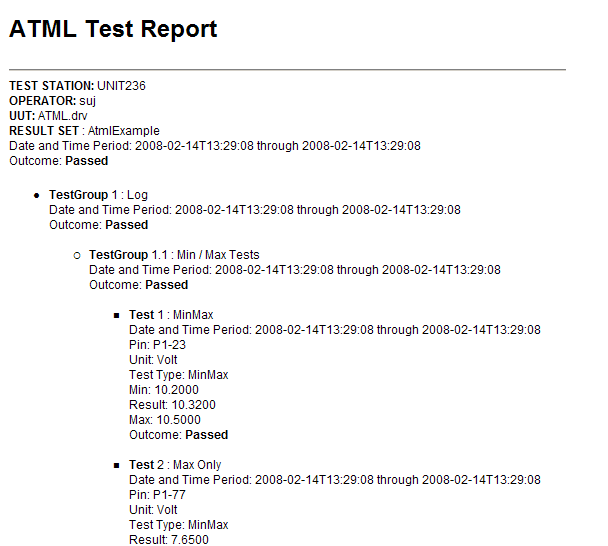
HTML files (AtmlToHtmlStyle1.xsl) - similar to NI TestStand HTML log
The ATML driver commands formatting to each style above are respectively the following :
ATML Transform TestResults ATEasyDefaultHtml
ATML Transform TestResults ATEasyDefaultText
ATML Transform TestResults HtmlStyle1
In addition, you can provide your own style sheet (xsl) file and use it to create your own test log file format using the following command:
ATML Transform
The ATEasy default Html and Text format are similar to ATEasy Test Logs. The third format looks like the following :