Checkit! Command (Build Menu) Checkit! Command (Build Menu)
Use this command to check the syntax of the highlighted code and the subroutines that are referenced by that code.
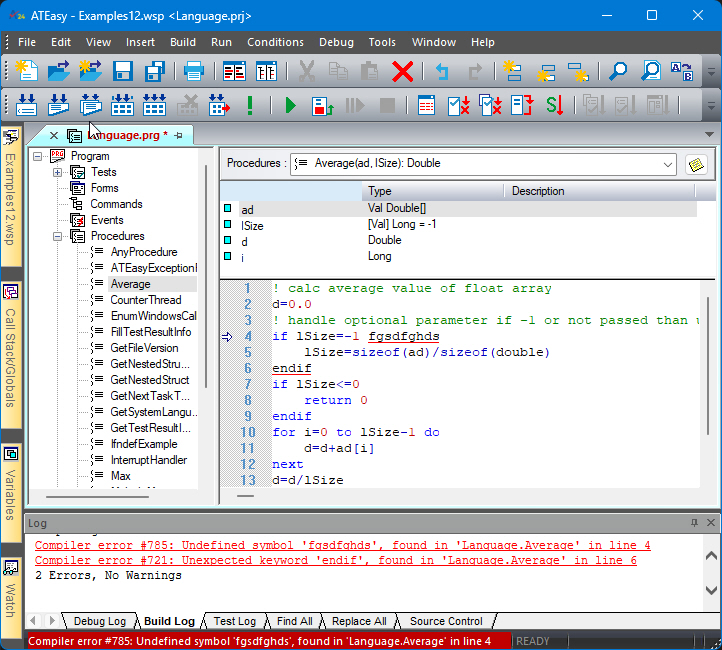
If ATEasy finds compiler error(s), it displays the first compiler error message in the status bar and in the Build log, and highlights in the code window the first letter of the statement that caused the error. All the other errors will show in the Build Log window with links to their code location. If no lines of code are selected, CheckIt! checks all code in the code window. If lines of code are selected, CheckIt! only checks those lines of code.
The following example shows CheckIt! on the Average Procedure, the check it show the errors found in the Build Log. The errors are also highlighted with red underline. The first line with error has an arrow on the left of the code and the status bar shows the error number and description. .