View in Text Format Command (File Menu) View in Text Format Command (File Menu)
Shows a document in text format.
The command opens a window that allow you to view a selected document in text format. They can be text files or binary files of a Project, Program, System or a Driver file.
Text format can be used for viewing the whole document with one window. The text viewer window allows the user to search for strings, copy text, place bookmarks and more.
Note that the text view is opened in read-only mode allowing you to continue and edit the document in other frames.
v10 - the text editor is now inside the ATEasy IDE, you can use find operations and go to line dialog, you can also show line numbers next to each line (see Text Editor Options).
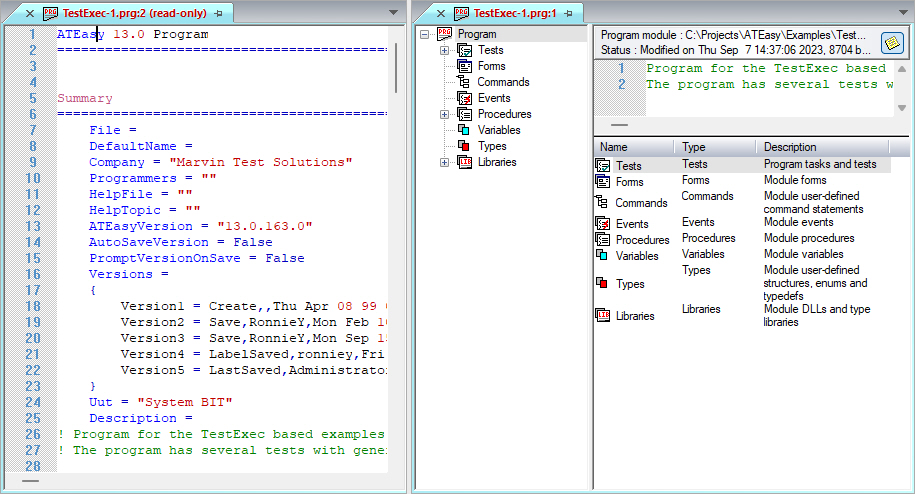
The following image shows a program in text format (left window) and in binary format (right window), the left window is in read-only mode since View and not Edit in text mode command was invoked: