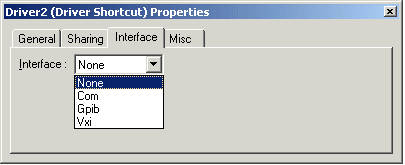
You can use the Driver Shortcut Properties window to set the interface that you would like the driver to use. Typically, an instrument supports more than one interface, for example, COM, GPIB, and VXI. When you defined Driver Properties, you chose the interfaces available for the instrument. Now, you can specify which interface out of that group of interfaces you would like the instrument to use. To do that, see Driver Shortcut Interface Properties.
To set the interface, right-click on the Driver Shortcut icon and select Properties to display the Driver Shortcut Properties window. Click the Interface tab and select an interface type from the combo box.
ATEasy takes care of the differences between interfaces, so the driver is interface-independent. In this way, ATEasy allows the user to change interfaces without having to change the test programs or write three different drivers, one per interface. For example, if the test operator changes the interface of an instrument from COM to VXI, the test program does not have to be modified.