The System Shortcut
The System shortcut  contains the System
  filename. Like a file shortcut in Windows, which points to the file and serves as an "alias" for it, the System shortcut points to the System in the active Project. The System shortcut contains some information about the System to which it refers.
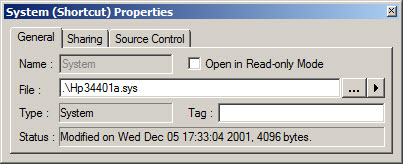
The File text box specified the location of the system file. You can use the browse button to select the system file, File names can be specified in relative path (to the containing document, usually the Project) , absolute path or no path. You can also insert Path Variables (v9) to the file path. See File Paths for more information.
If no System has been saved, then the File field will be blank.
System Shortcut Sharing Page (ATEasy v5)
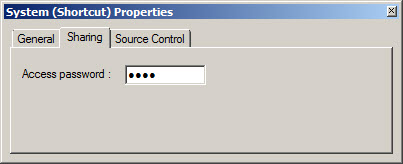
This page works with the System Module's Sharing page; namely, if you have set up any of Access rights: Open, View, and Change, then the password matching to the access entered will determine the access granted .
If you don't have any access on, then the Access edit box will be disabled.