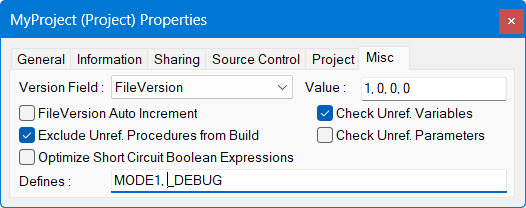
Project Properties - Misc Page |
For details, click the image |
modified v5, v7, v8 |
To view or change this property in the Project Misc properties window,
right-click the Project's icon
( )
in the Workspace window and select Properties
)
in the Workspace window and select Properties
 from the context menu.
The Project Misc page on the Project Properties window is described below. Click the other tabs for a description of the General page, Information page, Sharing page, and Project page. The same General page and Information page are displayed for ATEasy programs, drivers, and systems, as well as for projects.