Each standard driver must comply with the standard function interface outlined in the function description within this user guide. The purpose of the standard function interface is to abstract the calibration program’s implementation from the actual instrument driver used in the calibration system to a more general implementation.
The provided examples located under CalEasy\Standards folder, are written in ATEasy, however similar driver/ DLLs can be written with any programming language that can create a 32-bit DLL. A C/C++ header file is provided for each standard; this file can be used when writing a driver using C/C++.
For example, the DMM standard (CalDMM) provides a generic interface when porting a specific DMM (hardware) to work with CalEasy. When the user wants to implement this interface for a certain instrument, they must do so by creating an ATEasy DLL Project. The ATEasy DLL Project will then expose the standard interface and implement each function according to specific software driver of the physical instrument.
Follow these steps to create a Standard Driver implementation:
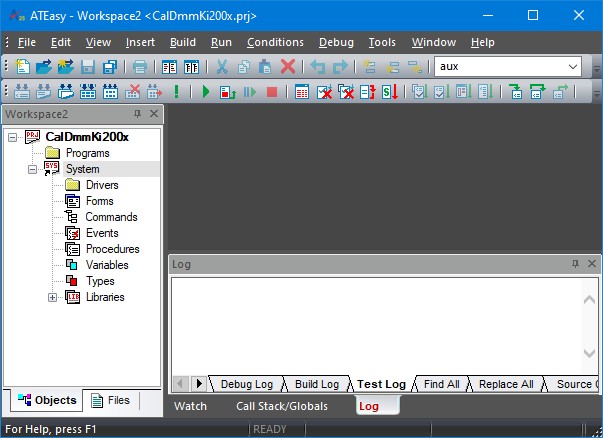
1. Start ATEasy and choose to create a new project. Use the naming convention Cal[InstrumentClass][Manufacturer][Model Series] (ex. CalDMMKi200x) for all the project files. Add a new System in the project with the same naming convention.
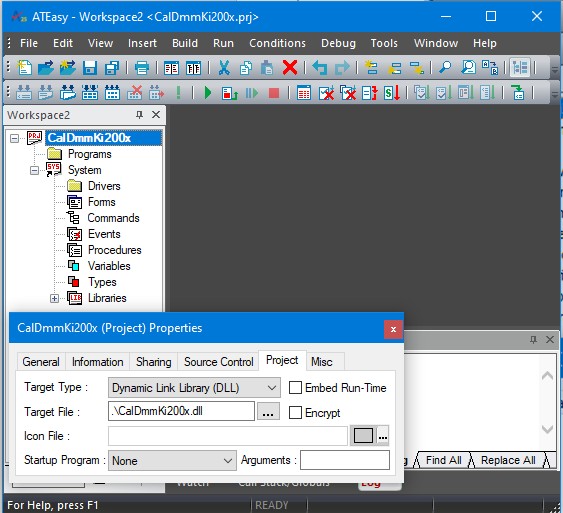
2. Select the project type to be a DLL in the project properties.
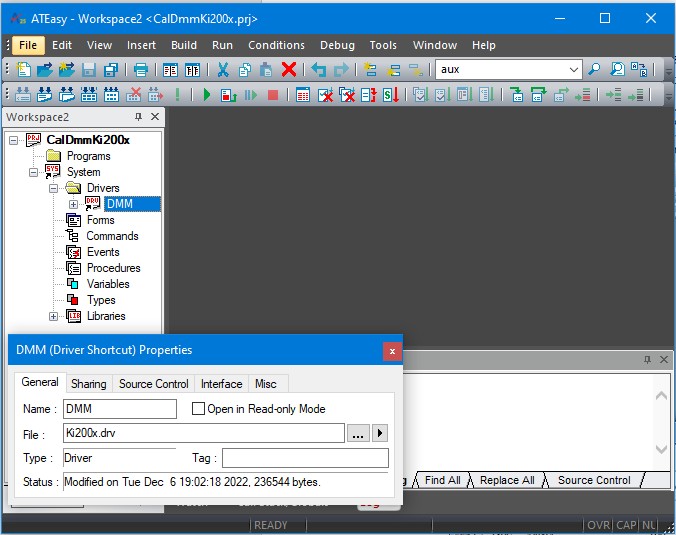
3. Insert the ATEasy driver that controls the specific instrument that is being implemented, if required. The standard interface functions that are implemented will use this driver for communication with the hardware.
4. Implement all the standard interface functions in the System’s procedure section. Use the ATEasy driver that was previously inserted in the Driver section to communicate with the instrument. Make sure to include the appropriate code for the System’s OnError event, and the GetLastError procedure. The System procedures are exported.
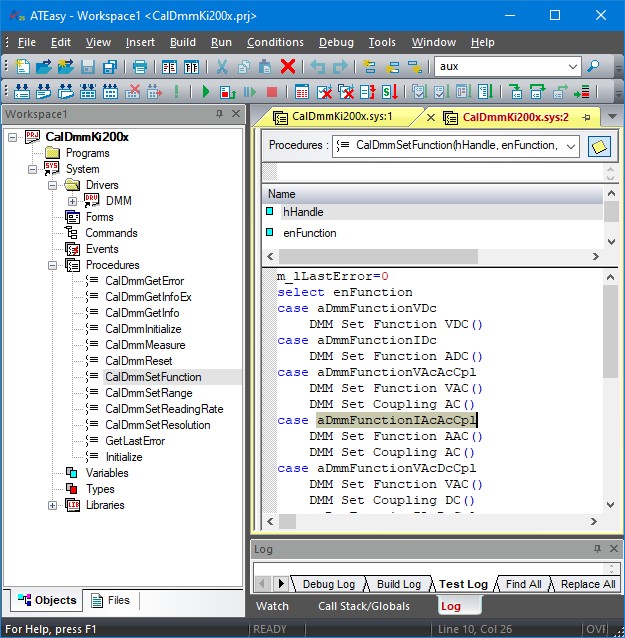
5. The examples drivers contain Initialize procedure that is not exported by the driver but can be copied to your driver to parse the address passed to your driver to initialize the instrument. The sAddress parameter passed to your driver for initialization can be one in the format of the following examples:
0. PXI:0x105 (PXI Chassis 1 Slot 5) or PXI:5(PXI legacy slot 5).
1. GPIB:1:15 (GPIB Board 1, Primary Address 15).
2. WinSock:192.168.1.5:2045 (Winsock IP Address 192.168.1.5 remote port 2045).
3. USB:3025:6132:00032 (USB Vendor ID 0x3025, Product ID 0x6132, Serial Number 00032).
4. COM:4 (Com port 4).
5. VISA:PXI0::3::12 (VISA resource string PXI0::3::12).
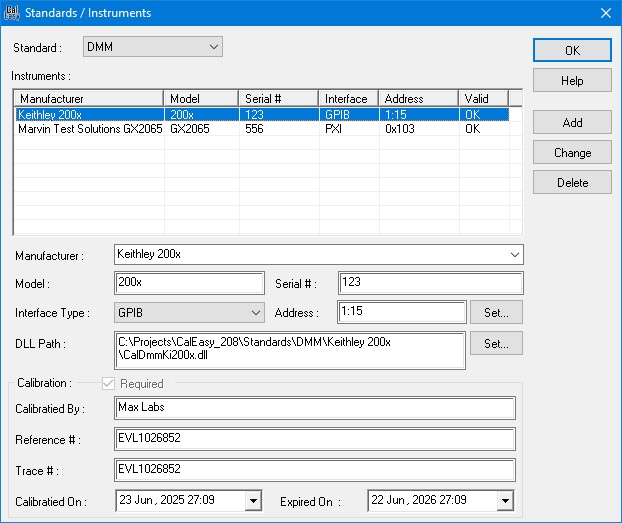
6. The procedures created in the System will be exported from a DLL when the project is built. Click on the Build File Menu and select Build to generate a DLL with the exported interface functions. This DLL can now be selected in CalEasy when setting up Standards/Instruments.