
Caution - Do not insert or remove any board while power is on. Turn off the power from the PCI chassis before installation.
● Install the GTDIO software as described in the prior section.
● Configure your PXI/PC system using PXI/PCI Explorer as described in the prior section.
● Verify that all the components listed in the packing list (see previous paragraph) are present.
To reduce the risk of damage to the board, the following precautions should be observed:
● Leave the board in the anti-static bags until installation requires removal. The anti-static bag protects the board from harmful static electricity.
● Save the anti-static bag in case the board is removed from the computer in the future.
● Carefully unpack and install the board. Do not drop or handle the board roughly.
● Handle the board by the edges. Avoid contact with any components on the circuit board.
|
Caution - Do not insert or remove any board while power is on. Turn off the power from the PCI chassis before installation. |
The GX5055 is compatible with any 6U PXI chassis that supports an air flow rate of 20 cfm/slot or greater. Power for the pin electronics requires the use of external power supplies or the GX5055 can be used with Marvin Test Solutions’ GX70005 or GX7015 PXI chassis which is designed for the GX5055 and includes the necessary pin electronics power supplies. The GX5055 can also be used with the GX71xxBR-HP1 chassis which offers additional cooling and can support up to (4) GX5055 modules, for low voltage / moderate performance applications. VCC and VEE power for this configuration can be supplied via an MTS GX7400A user power supply PXI module or external power supplies.
The GX70x5 PXI chassis (see the figure below) is designed specifically for the GX5055 and GX5960 digital subsystems and includes additional power supplies for the digital subsystems’ VCC, VEE and VDD voltages. Additionally, under software control via the GtDIO function library, the VCC and VEE voltages are programmed to the correct levels for the modules’ programmed drive / sense levels, minimizing overall module power dissipation. The GX70x5 chassis features (2) VCC programmable sources, providing additional flexibility for managing overall module power dissipation. VCC1 provides power to digital modules located in slots 4 – 11 and VCC2 provides power for slots 12 -19, allowing the user to have two “families” of logic levels. VEE power is common to all slots, 4 – 19. Overall control / programming of the VCC and VEE power supplies is provided by a digital module which MUST be located in slot 5. A module MUST be located in Slot 13 for enabling / disabling VCC2 which powers modules in slots 12 – 19.
|
A digital module MUST be installed in Slot 5 to control the programming of the VEE and VCC voltages. |
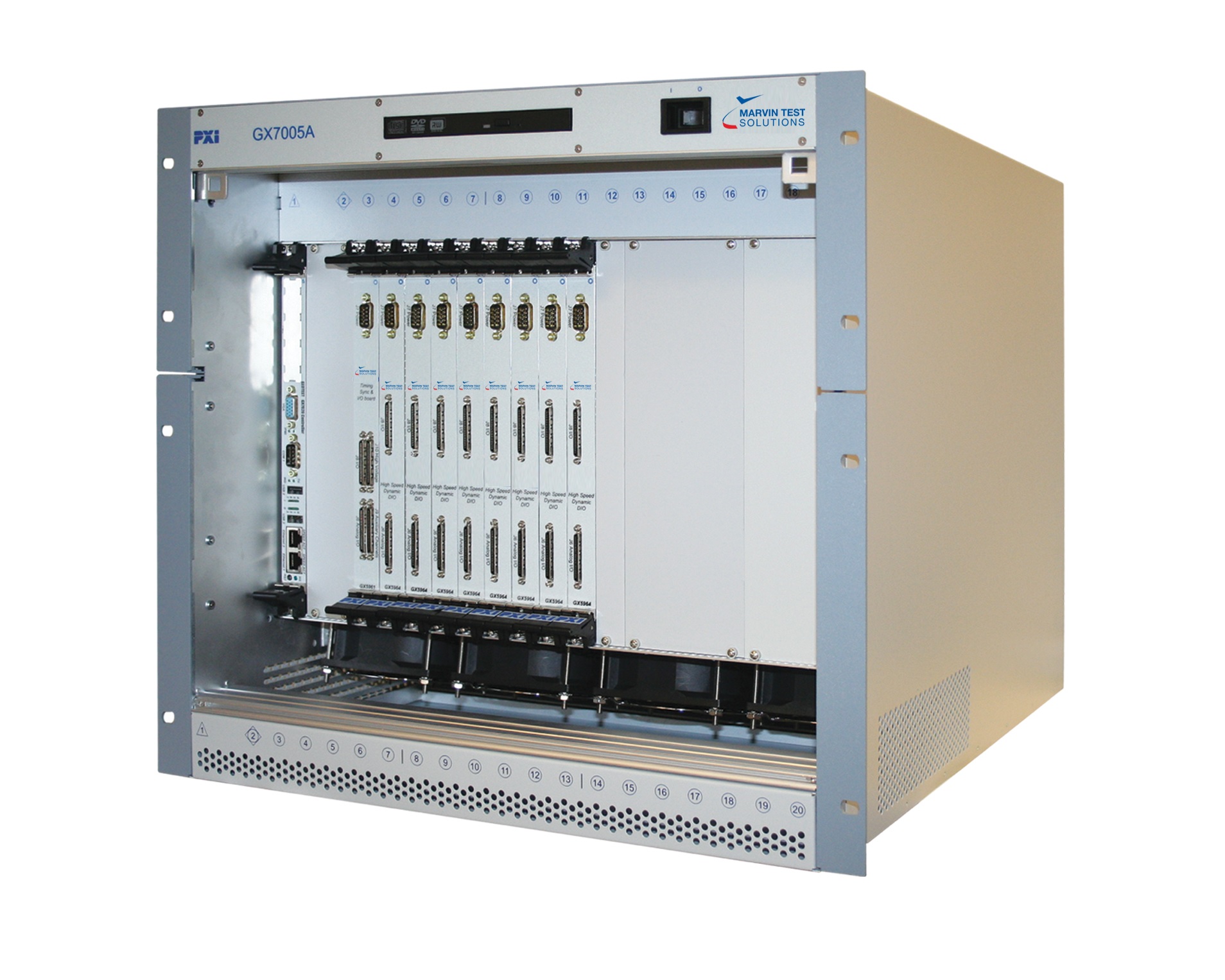
GX7005A Chassis
