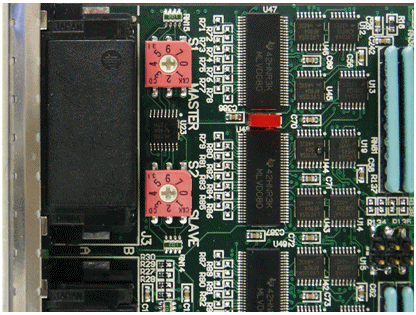
Any DIO domain is based on a single Master board and additional Slaves boards. The slaves are basically an expansion of the number of channels in the domain. Each board needs to have a unique number so it can be identify by the software as part of the specified domain, i.e. all Slave boards that belongs to the same Master are in the same domain. You must setup the domain by setting the Master and Slave selectors as shown in the figure below.
Master The selector switch designated as “Master” sets the Master domain that the board belongs to. The adjacent selector switch (designated as “Slave”) needs to be set to 0.
Slave The selector switch designated as “Master” sets the Master domain that the Slave board belongs to. The selector switch designated as “Slave”, select the Slave number in that domain and can be set to any number from 1 to 7 for a total of 7 Slaves (number 0 is saved for the Master).
1. Set unique board number for each new DIO board using the selector switch on the front.
2. Lay boards out in slot order with the master in the middle (the Master should have equal number of Slaves from both sides).
Master and Slave Switch Selectors