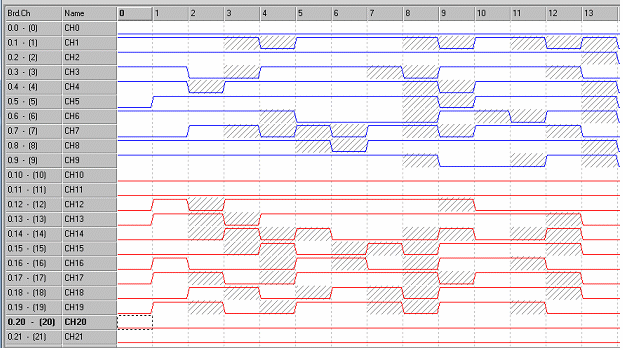
Comparison is used to alternately show (checked) and hide (unchecked) differences between the compared files. When a DIO or DI file is selected for comparing against the active Vector View file (see Compare in the File menu). It is easier to use the F8 shortcut to alternate views. Differences are crosshatched as shown in Figure 2 27:
Comparison is used to alternately show (checked) and hide (unchecked) differences between the compared files. When a DIO or DI file is selected for comparing against the active Vector View file (see Compare in the File Menu). It is easier to use the F8 shortcut to alternate views. Differences are crosshatched as shown in the figure below:
Comparing Two Files
The path to the selected comparison file displays [in brackets] on the Vector View title bar, after the Vector View file name. Comparison is available only if Compare was previously selected in the File menu.
Command Properties displays the Command Properties dialog box of the figure below:
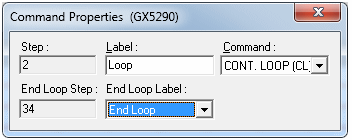
Command Properties Dialog Box
The displayed dialog for existing properties depends on the command. Refer to the “Theory of Operation” sections of the specified board type User Guide for a list of commands and conditions that are available.