Labels at key steps make it easier to follow vector sequences and do troubleshooting. Labels are added to key steps as follows:
1. Label the waveform starting point, Step 4 “Wvfrm Start”.
2. Label the end of first waveform, Step 259 “End Wvfrm1”.
3. Label the end of second waveform, Step 513 “End Wvfrm2”.
4. Label the program end, Step 520 “Prg End”.
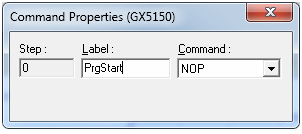
Double-click the Command Property area under Step 0. The Command Properties dialog appears, as shown in the figure below.
Using Command Properties to Add a Label
“PrgStart” in the Label: text box, then press Enter. Add the other labels to the vector.