Open DIOEasy.
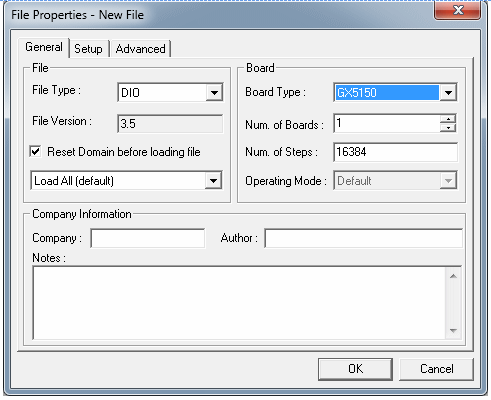
Click on the File menu and then click on New. Dialog with the “Create a New File” caption appears. In the “Board Type” group selects GX5150 and unchecks the “Show File Property”. Make sure the fields in the figure below are entered and click OK.
Creating a New DIO File
A new vector file will fill DIOEasy vector view with a default name of Dio1 in the caption.
Click File menu and Save As… then save the file as WaveformsExample.dio.