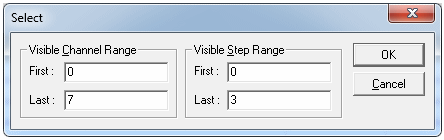
Output data lines are enabled only when the DIO board is in the RUN state. Other times, those lines are in the Tri-State high impedance state. Therefore, steps 0 to 3 and 514 to 520 need to be disabled. From the Edit menu click Select... The Select dialog box (the figure below) displays. Set the fields as displayed and click OK.
Selecting a Range of Channels and Steps
Channels 0 to 7 and Steps 0 to 3 are disabled by clicking  in the Tool
Bar. The selected area displays in Vector View in the figure below.
in the Tool
Bar. The selected area displays in Vector View in the figure below.
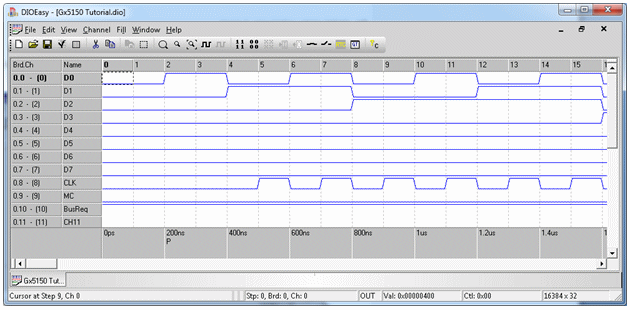
Disabled Range of Channels and Steps
Disable steps 514 through 520 at Channels 0 to 7. There is no need to specifically enable Steps 4 through 513 because all channels are enabled by default.