To set the system to its default state we first need to reset both the 8-bit DAC and the Local Bus Controller. Channel 9 was assigned to control the reset portion of the vector (see the section "Using DIOEasy with the GC5050/GX5050" on how to select steps and add commands).
Select step 0 and double-click the Command Property area. The Command Property dialog appears. In the label edit-box type “Start” and press Enter.
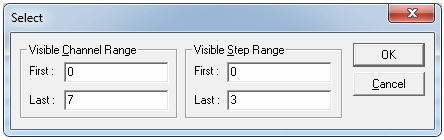
Click Edit and Go To… The Go To dialog appears. Set the fields as displayed in the figure below.
Using the Go To Dialog to Change Channels
Click the GoTo button. The Go To dialog box is closed. Step 1 of Channel 9 (named MC) is selected in Vector View. In the tool bar click the  button. After the initalization phase, we need to wait until the UUT triggers the DIO. To do that we will need to add a PAUSE command in the next step. Double-click the Command Property area under step 2. The Command Property dialog (the figure below) appears.
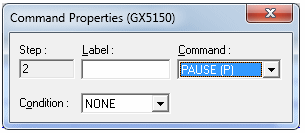
Using Command Properties Dialog to Add a Pause
Apply the displayed settings, then press Enter, Esc.
The resulting Vector View display should look like the figure below.
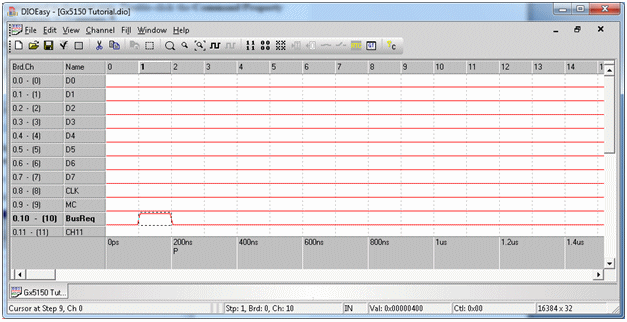
Vector View Display of Current Vector Build