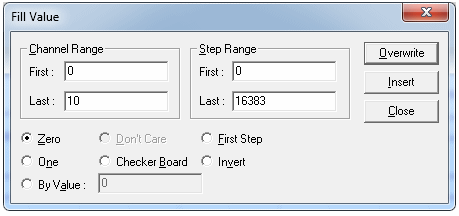
To ensure that the channels 0 through 10 have a value of zero, click the Fill menu and then Value... The Fill Value dialog box displays. Enter dialog values in Figure 6 13 and click the Overwrite! button. Channels 0 through 10 have the value set to zero.
Using the Fill Value Dialog to Initialize Data