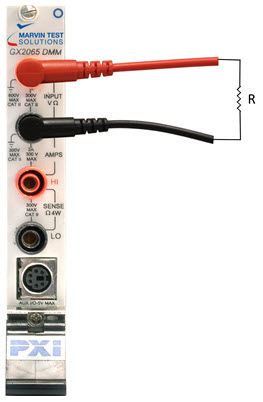
This section discusses setting up the DMM to measure the resistance between two points of the device under test.
Setup for 2-Wire Resistance Measurement
1. Select “2Wire” from the function list
2. Select a range that is greater than your target measurement, or click the Auto button.
3. Trigger the measurement using the Trig button or change the trigger mode to Continuous.
GxDmmSetFunction(nHandle, GXDMM_FUNCTION_2WIRE_OHM, &nStatus);
GxDmmMeasure(nHandle, &dMeasurement, &nStatus);