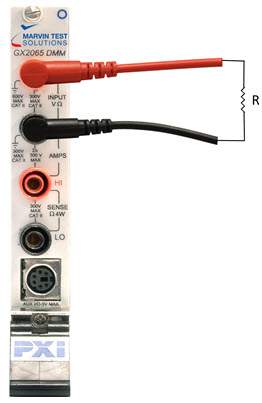
This section discusses setting up the DMM to test continuity between two points of a device under test.
Setup for Continuity Measurement
1. Select “Cont” from the function list.
2. Select a resistance limit for the measurement. Paths that measurement above the resistance limit will be considered open/non-continuous.
3. Trigger the measurement using the Trig button or change the trigger mode to Continuous.
Continuity is a pass/fail measurement that indicates whether two points in a circuit are connected. It does this by performing a resistance measurement across the test leads. If the measured resistance is greater than the programmed resistance limit, the path will be considered Open and the GxDmmMeasure API will report an overflow. If the measured resistance is lower than the programmed resistance limit, the path will be considered Continuous and the GxDmmMeasure API will report the measured resistance.
GxDmmSetFunction(nHandle, GXDMM_FUNCTION_CONTINUITY, &nStatus);
GxDmmMeasure(nHandle, &dMeasurement, &nStatus);