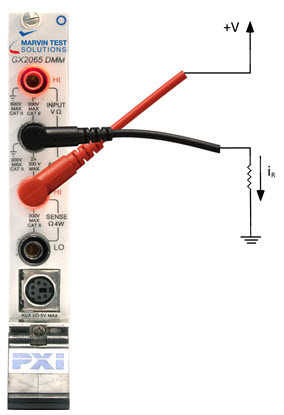
This section discusses setting up the DMM to measure current running through a path in the device under test.
Setup for DC Current Measurement
1. Select “IDC” , “IAC AC”, “IAC DC” from the function list
2. Select a range that is greater than your target measurement, or click the Auto button
3. Trigger the measurement using the Trig button or change the trigger mode to Continuous
DC Current measurements must be made in series to the path measured. If a continuous path is not found, one or both probes may float and the measurement will be unreliable.
Use AC Coupled IAC when you want to measure the combined DC and AC components of the measured signal. Using DC Coupled IAC places a capacitor on the measured signal to filter out the DC component of the signal.
For safety, the ground (black) lead should be connected first if you are probing while the device is powered.
GxDmmSetFunction(nHandle, GXDMM_FUNCTION_IDC, &nStatus);
GxDmmMeasure(nHandle, &dMeasurement, &nStatus);