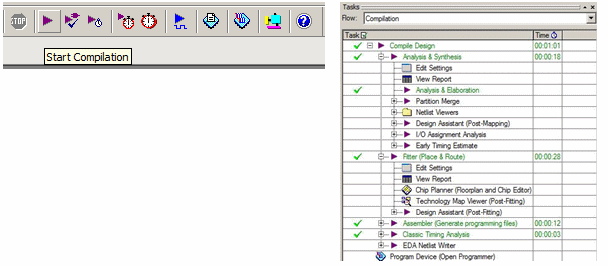
Click on the start compilation button to start the compilation process for the example project.
Compilation Tools and Status
The SVF file will be generated after the project compilation has finished. The Compilation Task window will show green check marks next to each major task to indicate completion.
To generate the RPD file, go to File, Convert Programming Files …
Select Raw Programming Data File (.rpd) as the Programming file type and FPGATutorial.rpd as the File Name. Click on the Add File button and select FPGATutorial.pof. The .pof file should now appear below the POF Data node as shown below. Finally, click the Generate button to create the RPD file.
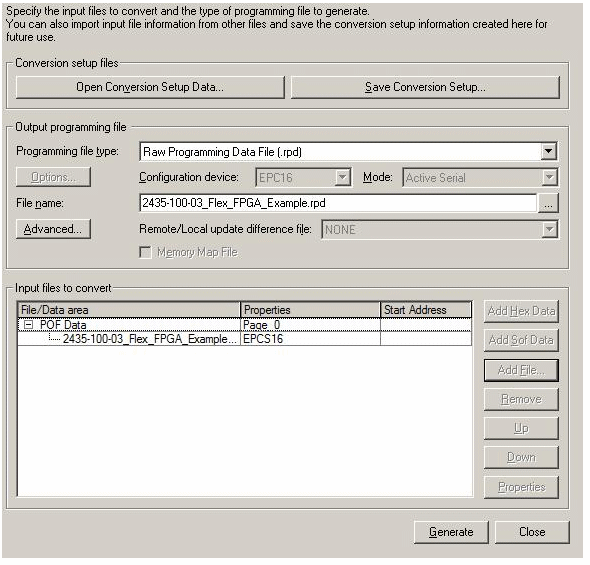
Convert Programming Files Dialog Box