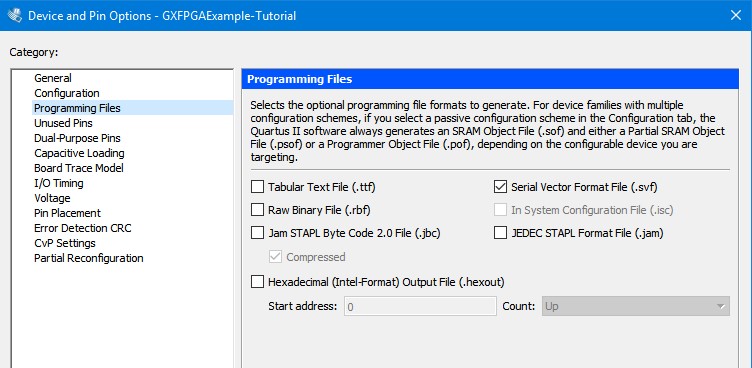
To ensure that a SVF file is generated upon project compilation, go to the Assignments, Device ... and click on the Device and Pin Options button. Then click on the Programming Files tab and verify that the Serial Vector Format File checkbox has been selected.
Select SVF as output file
Click on the Configuration tab and check the Use Configuration Device checkbox. Then select EPCS16 as the configuration device from the drop down selection. Finally click on OK twice to exit the settings dialog boxes.
Select Configuration Device