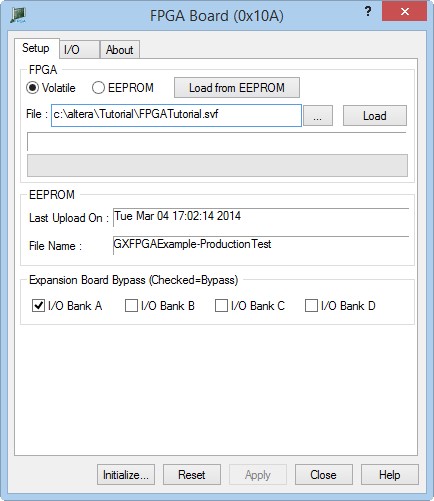
Start the GX3500 Panel (from the Windows Start menu, Geotest, GxFpga) and initialize the instrument. Next, click on the Volatile radio box and then click on the Browse Button (…) to select the newly generated SVF file (FPGATutorial.svf). Finally click on the Load button to begin programming the card. You will see the progress bar indicate the status of the load. Once the load has completed, the status bar should be unfilled.
Software Front Panel
Before we proceed to testing the design, make sure that the IO Bank A checkbox is selected as shown above. This will allow the FPGA IO Pins to be routed directly to the front connector.