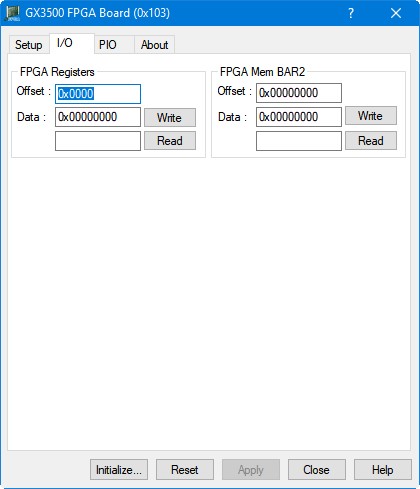
Clicking on the I/O tab will show the I/O page as shown in the figure below:
GX3500 Virtual Panel – I/O page
The following controls are shown in the I/O page:
Offset Text Field: The offset into the FPGA Register or Memory space in bytes. This field can be used with a decimal or hexadecimal value (prefix the value with 0x). The offset is limited to 0x400 bytes when reading the register space and 0x40000 bytes when reading the memory space. Offset must be specified on a 4 byte alignment.
Write Text Field: The 32-bit data (hexadecimal or decimal) to be written the specified offset in either FPGA Register or Memory space.
Write Button: Write the 32-bit double word to either the FPGA Register or Memory space at the specified offset.
Read Text Field: The 32-bit data that has been read from the specified offset in either FGPA Register or Memory space. Value is specified in hexadecimal.
Read Button: Read the 32-bit double word from either the FPGA Register or Memory space at the specified offset.