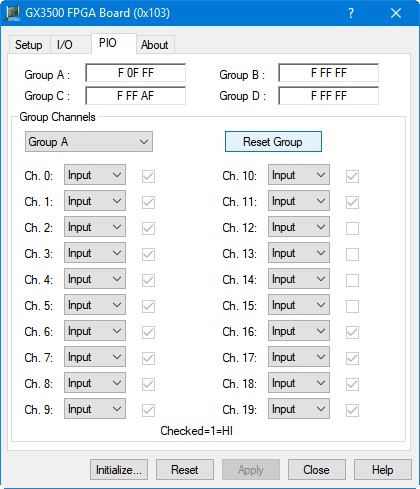
The PIO page will only be enabled if the initialized GX3500 has a PIO type expansion board installed (GX3501, GX3509, GX3510, GX3540). Clicking on the PIO tab will show the PIO page as shown in the figure below:
GX3500 Virtual Panel – PIO page
The following controls are shown in the I/O page:
Group A/B/C/D Text: Displays the data value of all the channels of the specified group. Each bit represents the logical state of a single channel. The channels are shown with channel 19 as the highest bit and channel 0 as the lowest bit.
Active Group Drop Down List: Identifies the current active group. Upon changing the active group, the channel direction drop down lists and channel data checkboxes will update to reflect the new active group’s current state.
Reset Group Button: Clicking this will set the channel direction of all channels in the active group to input. If using the GX3540 expansion board, all output channels will be reset to output a logical 0.
Channel Direction Drop Down Lists: Shows the direction of the specified channel of the active group. If using the GX3540 expansion board, all channel direction drop down lists will be read-only. For all other PIO expansion boards, this control can be used to set the channel direction.
Channel Data Checkboxes: Shows the value of the specified channel of the active group. If checked, the I/O channel is HI (logic 1). If unchecked, the I/O channel is LO (logic 0). If the specified channel direction is set to input, this control will be read-only.