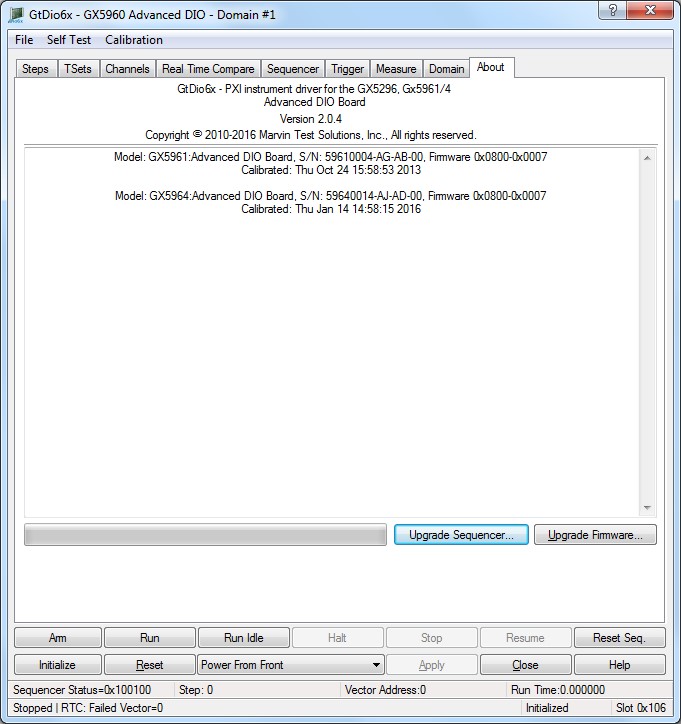
The panel About tab is used to display the current GtDio6x driver version and the current DIO domain boards firmware information. The page is also used to update the firmware of the domain boards. The following screenshot shows the About page:
Virtual Panel – About Page
The top part of the About page displays the version and copyright of the GTDIO6X driver. The bottom part displays the board summary, including the main board FPGA version and each installed I/O Module FPGA version. The About page also contains two buttons Upgrade Sequencer… and Upgrade Firmware… used to upgrade the Sequencer FPGA and Inter face FPGA respectively. These buttons may be used only when the board requires upgrade as directed by Marvin Test Solutions support. The Sequencer upgrade requires a firmware file (SVF) that is written to the board sequencer FPGA. The Firmware upgrade requires a firmware file (RPD) that is written to the board interface FPGA. If both FPGAs requires an upgraded together, first upgrade the Sequencer and then the Firmware. After the upgrade is complete you must shut down the computer to recycle power to the board.
Domain Information edit box: Display the model number, FPGA versions, and serial numbers of each DIO board in the domain.
Progress Bar: Displays the progress of the current FPGA upgrade.
Upgrade Sequencer… button: Select an SVF file and upgrade the sequencer logic FPGA.
Upgrade Firmware… button: Select an RPD File and upgrade the interface FPGA.