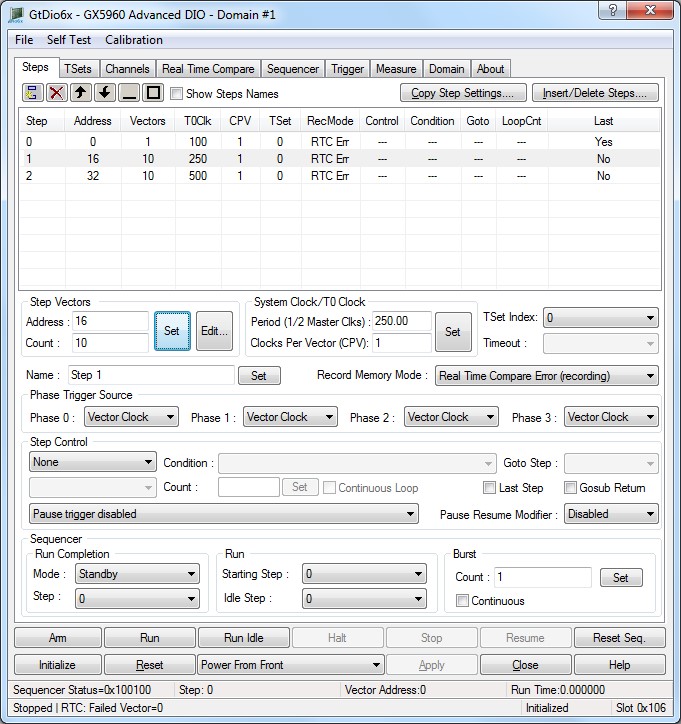
The Steps define how the sequencer will behave. Each Step acts as an instruction for the sequencer to follow and includes information such as the number and offset of vectors to execute, the timing set data, the clock period and a control statement.
To set up the Steps, use the control on the Steps page:
Steps Page
Click on the Insert button.

And insert additional two steps.
Rename the steps as follows using the Name edit box as follows:

To be as follow:
