Waveform Properties
To view or change the Waveform properties:
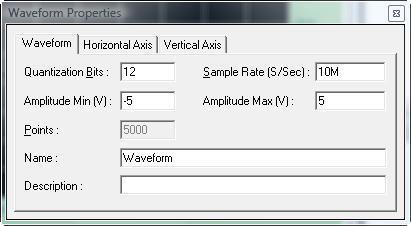
Right click on the Waveform from the Segments pane and select Properties. The Waveform properties window will open as shown here:
At this time we can change the waveform's number of bits per point, sample rate, amplitude, number# of points in the file (read-only, to change this - see the next paragraph), waveform name and description. The other two tabs Horizontal and Vertical Axis are used to change the waveform's X and Y axes. Each tab can set multiple axes on the right, left, top and bottom of the Waveform Window. In addition, you can set the axis to different units as required for your specific application.