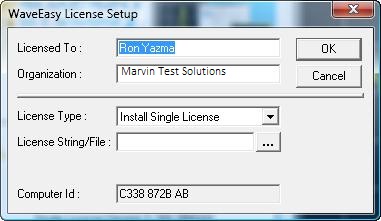
WaveEasy is provided with the GtWave software package. A limited feature, license free, 30-days trial version is included with GtWave software. The trial version enables you to create, view and edit waveforms but will not allow you to save the waveforms to files. If you have purchased WaveEasy separately, you will need to obtain a license string from MArvin Test Solutions support site www.marvintest.com/magic/. You will need to supply the Computer ID that is displayed at the bottom of the WaveEasy License Setup dialog. Once you have received the license string, you can install it during the trial period from the WaveEasy Help menu, About dialog or after the trial expired just run WaveEasy and enter the string when prompted.