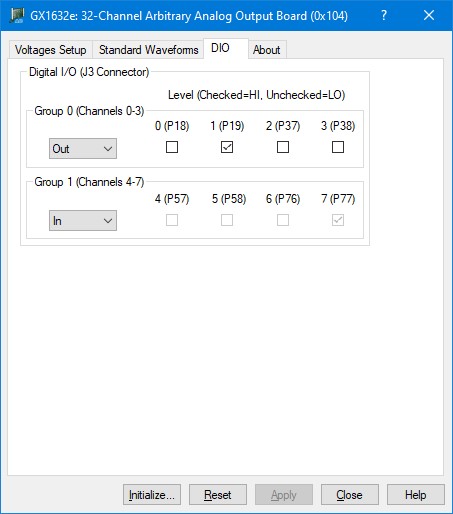
The following picture shows the DIO page followed by an explanation of each one of the controls displayed on the page:
GX1632e Virtual Panel – DIO page
The following controls are shown in the Digital I/O page:
Group Direction drop-down boxes (Group 0/1): Displays the current groups’ direction. Each group consists of 4 channels.
Channel Level check boxes (0-7): Displays the current channel’s state. If the channel box is checked the channel is in Hi state. The check boxes display the current state and are used to change the channel state when in output mode. The checkbox is read-only (disabled) when the channel in input.