The STREAM operation of the sample program can be used as a starting point for ascertaining streaming performance on your system. Using the <test mode> parameter, you have two methods available for testing:
Polled: As long as the program is running, it will continue to request the status of the FIFO using the GxAoArbGetGroupStreamingStatus() API. If the half-empty bit is set, the program will transmit samples in an amount equal to half of the FIFOs size. Then it will return to looping and requesting the status of the FIFO.
Interrupt driven: Before triggering the waveform, the program will enable an interrupt using the GxAoArbSetupStreamingInterrupt()API. While interrupts are enabled, the DLL will execute a callback function whenever the FIFO becomes half-empty.
Streaming performance is the result of a number of factors including, but not limited to CPU speed, free memory, CPU utilization, data transmission media, and thread priority. When using the STREAM operation, the example program will output a sinusoidal waveform on the specified channel at the specified sample rate for approximately ten seconds. If the sample clock is too fast, the data in the FIFO will output and then the output driver will hold at the last programmed voltage until more data is entered in the FIFO.
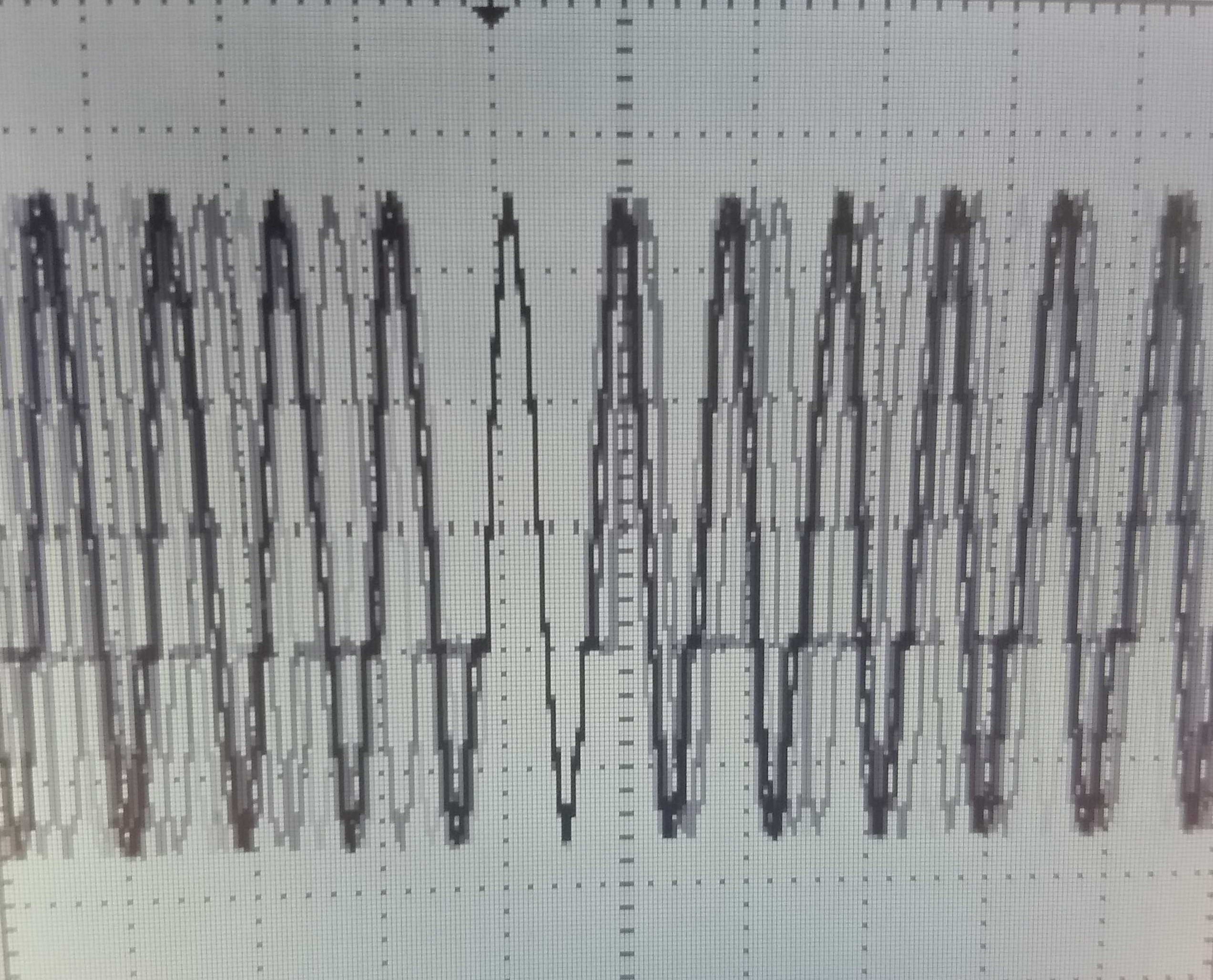
To determine the limits of your system, you could use any instrument designed to evaluate dynamic signals. If the sample rate is too high, attaching a timer/counter would report an inconsistent frequency. A digitizer would record intermittent flat portions of the wave that could vary in length that would appear as it does in the figure below.
Oscilloscope Readout of Sinusoid Streaming @ 200 kHz
The example program was modified to test output on multiple channels, as opposed to a single channel, and the following results were observed on a non-remarkable system showing 2.5MS/sec regardless of the number streaming or the method used (Polling vs. Interrupts):
Method |
# of Channels Streaming |
Sample Rate (max.) |
Derived Throughput |
Polling |
1, 1 group |
2.5 MHz |
2.5 MS/s |
Polling |
16, 1 group |
156 kHz |
2.496 MS/s |
Polling |
32, 2 groups |
78 kHz |
2.496 MS/s |
Interrupt |
1, 1 group |
2.5 MHz |
2.5 MS/s |
Interrupt |
16, 1 group |
156 kHz |
2.496 MS/s |
Interrupt |
32, 2 groups |
78 kHz |
2.496 MS/s |
Since windows is a non-real-time operating system, your results may vary if the system is performing other tasks causing higher CPU load. Consistent and more deterministic results can be achieved by raising the current thread priority.