
There are several ways to close a window:
● Click on the x button in the window caption.
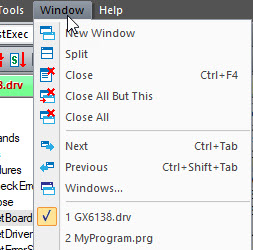
● Select Close from the Window menu or press CTRL+F4.
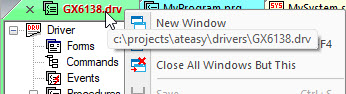
● Right click and the caption the context menu will show. For Tabbed document window, select Close Window. For Dockable window, select Hide.
● For Tabbed document window, if the window is active
click on the x button in the tab, if the window is not active, hover the
mouse over the tab,
and x button will show, click on it to close
.
● To close all windows in the Client area (Tabbed Documents windows), choose the Close All option from the Window menu. For more information on the Document frame, see Client Area.
● To Close all dockable document window except from the current one, right click and select Close All Windows But This.
Closing a window does not close the document(s) displayed in it. To close a document, see Closing Documents.