While moving the window, guidelines boxes will show to show you where that window will be placed when you if you release the mouse as shown here:
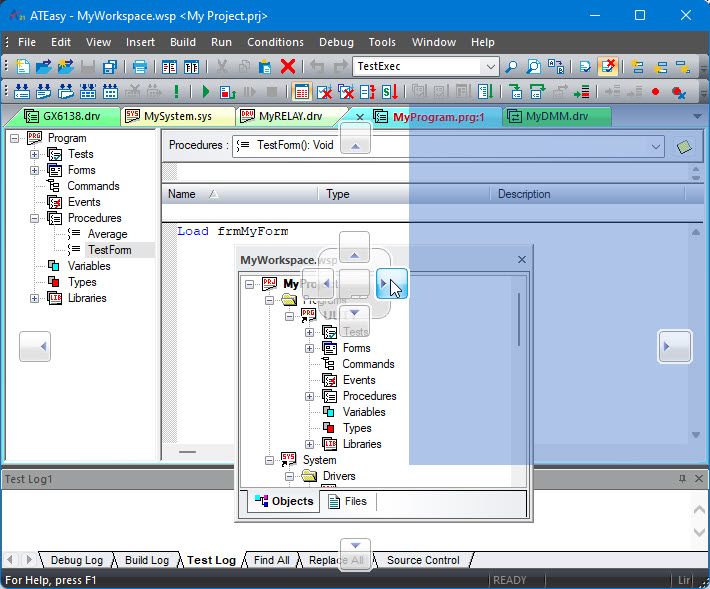 .
.If you move the window to an outside edge (or not on top of a guidline box) and release the mouse button, the window become Float. You can also prevent the window from docking and keep it as a floating window, by press the CTRL when you move the window.