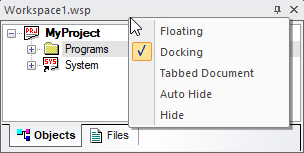
To move a docked window into the Client area, you turn the window into an Tabbed Document window.
1. Right-click
the title bar of the window to display a popup menu.
2. Select one of the following options:
Tabbed Document. The window becomes a Tabbed Document window showing in the main client area
Floating. Select to show the window floating on your desktop.
For an overview of Dockable windows, see Dockable Windows.