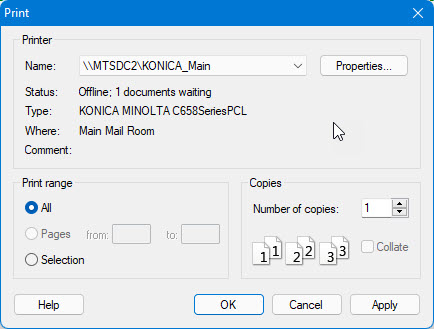
After you set up print options as explained in Printing Overview, you can print by selecting Print from the File menu. The following Print dialog is displayed:
Other than select the standard print options, you can do the following with this dialog:
● To print a complete report, click All.
● To print information only about the selected object, click Selection.
From the ATEasy toolbar you can do the following:
● To
print only the current document, click  on the standard toolbar.
● To
print only the current text selection, click  on the
standard toolbar.
on the
standard toolbar.