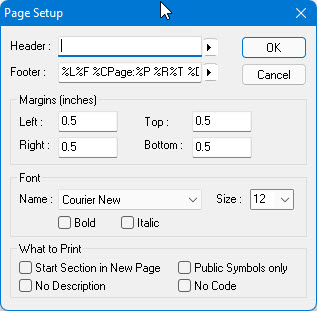
ATEasy enables you to print the information of any object in your project, including the project itself. You format the printed information by selecting Page Setup from the File menu to display the Page Setup dialog.
You use this dialog to do the following:
● Defining Headers and Footers
You can then print the information as explained under Printing.
For information on formatting screen text, see Controlling Text Entry Options.