 . The Tree view appears in the Document
View as follows:
. The Tree view appears in the Document
View as follows:To display the tree that contains an object, click the object to select
it. Then, from View menu, select Tree
Only . The Tree view appears in the Document
View as follows:
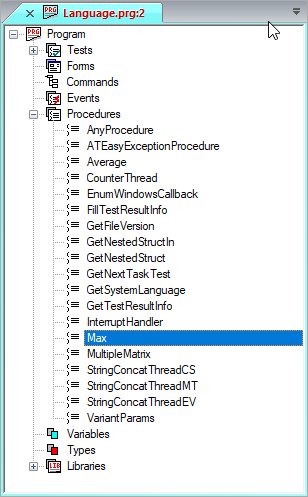
This example shows the Program tree that contains the Max procedure object.
For information on other Document views, see Document Views.