Testing Forms
The most basic way of testing a form in ATEasy is to use the Test Form!  button or the FormIt!
  button. The Test Form! button, when pressed in the presence of an active form, will cause the form to be displayed, so that you can check the layout of controls, text and graphics on the face of the form. However, you will not be able to check form procedures or otherwise set controls; the Test Form button is solely for testing the visual layout of the form. The FormIt! button, by contrast, runs the form in the same way as it would be run in the course of a procedure. You will be able to set controls, set off events, run procedures, and do everything else you would ordinarily do with a running form.
Otherwise, you can test forms by loading the form using a small procedure, as described in Loading a Form
A third way of testing a form in ATEasy is by means of the procedures linked to form events. One very common technique is to insert print statements in linked procedures, indicating what functions are being entered or left.
print "-->"; "Entering comparison function"
You can also use ATEasy's full range of debugging tools -- setting and clearing breakpoints, stepping in or out of procedures, and so forth. When a program with errors is run, the first error generated is sent both to the bottom bar of the screen:

and to the Build log:
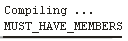
The line where the error occurred in your code is highlighted in the left margin of the code pane, using the error pointer  .
.