This example uses a single I/O Table (SetFunction) to set the measurement mode of the DMM to any of the available functions:
1. Create a new I/O Table as explained in Creating I/O Tables and name it "SetFunction."
2. Define two operations that set the DMM driver measurement mode:
Create an Output operation. Through the General page of Output properties, change the Mode to: Parameter to Discrete String. For information on the General page of Output properties, see Output Properties General Page.
In the same tab, enter iFunc in the Argument edit box.
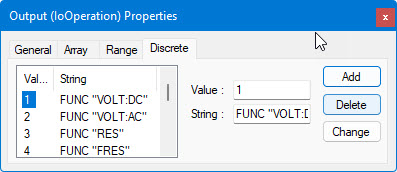
While in the same Properties window, select the Discrete page. (For more information on the Discrete page, see Output Properties Discrete Page.) In the Discrete String list, enter the following values:
Value |
String |
1 |
CONFVOLTDC |
2 |
CONF:VOLT:AC |
3 |
CONF:RES |
4 |
CONF:FRES |
5 |
CONF:FREQ |
The Discrete Properties Page will look like the following:
Create a Send operation as well. Do not change any properties. For information on Send operation properties, see Send Properties.
The I/O Table view looks like the following:
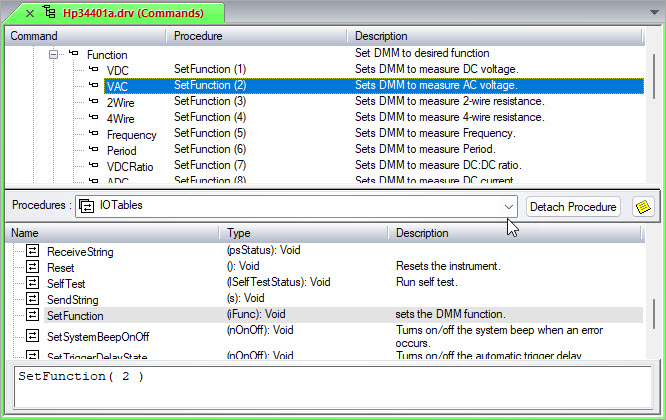
When this I/O Table is called with the parameter of 2, the DMM is set for VAC (as displayed above). When this I/O Table is called with the parameter of 3, the DMM is set to 2Wire resistance measurements.