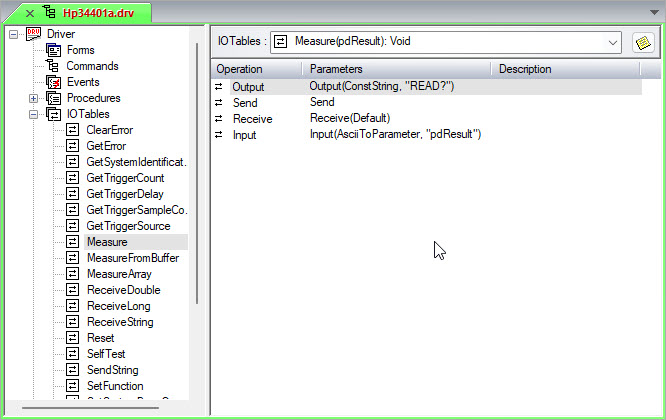
This example demonstrates how to read data from an instrument, which normally involves sending an instruction to the instrument and then reading the resulting data:
1. Create a new I/O Table as explained in Creating I/O Tables and name it "Measure."
2. Define two operations that direct the DMM driver to send back data over the bus:
Create an Output operation. Through the General page of the Output properties, enter ":READ?" in the Argument field. Do not make any additional changes. For information on the Output operation properties, see Output Properties General Tab.
Create a Send operation as well. For information on Send operation properties, see Send Properties.
3. Define two operations to receive the data sent by the DMM driver:
Create a Receive operation and do not change any of its properties. For information on Receive operation properties, see Receive Properties.
Create an Input operation. Through the General page of the Input properties, make sure the Mode list shows ASCII To Parameter so ATEasy converts ASCII data in the buffer to the TestResult Parameter. Enter "dResult" in the Argument edit box and change the Type to Float. For information on Input operation properties, see Input Properties General Page.
When this I/O Table is called, ATEasy sends a string ("READ") to the DMM, reads back data, and then assigns the data to a variable called dResult. The driver's tree view should now look similar to the following: