The following changes have been made between ATEasy 2 and the new ATEasy: These changes are taken care when you import and convert ATEasy 2 files to the new ATEasy:
Basic data types have been renamed in the new version to correspond with 'C'-like data types. Their size and functionality remain the same. When you do programming in the new ATEasy, you will have to use the renamed data types.
|
ATEasy 2 |
ATEasy 3 |
|
byte |
char |
|
int |
short |
|
long |
long |
|
float |
double |
Driver and System commands have been restructured in the new version.
Commands, in ATEasy 2, were divided into four types:
|
Analog |
Digital |
Instrument |
Special |
If you created a command in ATEasy 2 under Instrument or Special, it can be used in the new ATEasy as is.
If you created a command in ATEasy 2 under Analog or Digital, the syntax of that command looked like:
Set XXX Function VDC
where XXX was the name of the driver.
In the new ATEasy, the syntax for commands is:
XXX Set Function VDC
where XXX is the name of the driver.
The new ATEasy will convert commands used in tests and procedures to the correct syntax when converting, but the System Driver must be loaded in order for the conversion to take place.
The extensions of ATEasy filenames have changed from ATEasy 2 to the new ATEasy.
|
ATEasy 2 |
ATEasy 3 |
|
.INS files |
.DRV files (driver files) |
|
.CFG files |
.SYS files (system files) |
|
.PRG files |
.PRG files (program files) |
The new ATEasy does not support the loading of .LST (ASCII text format program) files. Use ATEasy 2 to load these files and convert them to .PRG files before converting the .PRG files to the new ATEasy.
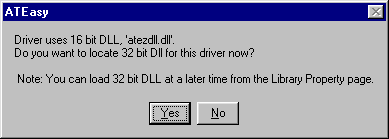
The new ATEasy does not support 16-bit DLLs. If your .INS driver (with the exception of ATEZUSER) uses a 16-bit DLL, you will have to replace it with a 32-bit DLL. If you have the source code for the 16-bit DLL, recompile it as a 32-bit DLL. If you do not have the source code, contact the vendor who supplied the 16-DLL to obtain a 32-bit version. Below is the warning box you get when you try to load and convert an .INS driver based on a 16-bit DLL..
The new ATEasy supports .DLG (dialog box) files through the ATEZUSER driver; they can be used as is. However, it is recommended that you consider converting your .DLG files to ATEasy 3 Forms, as Forms offer much more flexibility plus event-based programming. (This conversion is not a file format conversion; you will have to rework your dialog boxes manually.)
The RIGHT string function in the new ATEasy differs from the RIGHT function in ATEasy 2.
The RIGHT function in ATEasy 2 programs will be changed to the MID function with one parameter when a program is converted to the new ATEasy.
When MID has only one parameter, it functions the same as RIGHT.
Mid (sSTR, iBYTES)
where iBytes is the number of bytes from the right that will be returned. With this syntax:
Mid ("abc",2) = "bc"
Note: Many of the new ATEasy library functions have been modified to accept additional optional parameters. However, these functions remain compatible with their ATEasy 2 equivalents.
ATEasy 2 subroutines have been replaced by the use of events in the new ATEasy. The following table describes the ATEasy 2 subroutines and the corresponding new ATEasy event. Click on any event for a syntax description and an example of its use.
During the process of converting ATEasy 2 files to the new ATEasy files, the new ATEasy converts each ATEasy 2 subroutine in each module into a corresponding event. For example, if the Driver module contained an _AbortProgram subroutine, the new ATEasy would convert it to an OnAbort event residing in the Driver module. For more information on conversion, see Converting ATEasy 2 Files.
|
ATEasy 2 Subroutine |
ATEasy 3 Corresponding Event |
|
_AbortProgram |
|
|
_EndProgram |
|
|
_EndTask |
|
|
_EndTest |
|
|
_ErrorProgram |
|
|
_InitProgram |
|
|
_InitTask |
|
|
_InitTest |
|
|
_ResetProgram |
|
|
_ResetDriver |
|
|
_ResetSystem |
The Run statement argument for a string expression has changed in the new ATEasy. The syntax is:
Run program-specifier
One change is that in the new ATEasy, the program-specifier can be a string or object expression. In ATEasy 2, the program-specifier could only be a string expression.
Another change is that when a string expression is passed as an argument in the new ATEasy, the string expression can contain a program shortcut name or a program filename. In ATEasy 2, when a string expression was passed as an argument, it contained only a filename.
TestRefResult variable which was used to store Ref-X/2 test result was deleted. You need to use the TestResult variable instead. The migration will convert all preferences.
See the Obsolete Items From ATEasy 2 topic for a list items that are no longer available in the new ATEasy.