 within the tree in the Workspace Window, and opening the Properties window from the context menu.
The Driver Shortcut Properties window allows you to select options from a subset of options that you selected in the Driver Properties window. Using the Driver Shortcut Properties, you can set the final configuration of the Driver.
You can get to the Driver Shortcut Properties window by right-clicking on the Driver Shortcut icon within the tree in the Workspace Window, and opening the Properties window from the context menu.
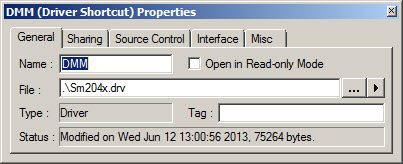
For more information, click on one of the tabs above or select a link below: