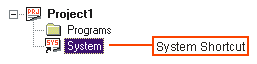
When an existing system has been set up and predefined, it can be added or inserted into a new or existing project. By being able to add an existing system, you do not need to reconstruct that system to add into a project.
When you first create a new project, a System shortcut icon appears below the project in the workspace window, with no system associated with it.
There are three ways to an existing system into a project, either the project is new or existing:
using property page
using Open dialog via the File Open menu command
using Insert menu via Context menu
Right-click on the System Shortcut and select Properties  from the context menu to view its Properties page, which is shown below.
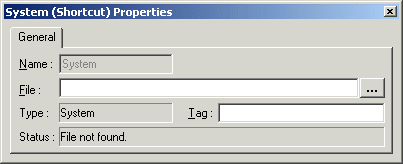
The File entry will be blank, indicating that there is no system currently associated with the project.
Using the Browse button  , open a file selection dialog box in which you can select the existing system file to load it.
The System Shortcut will point to that system file. Check this by looking at the Properties page for the shortcut.
Open a system file by selecting Open  from the File menu.
A file selection dialog box displays. Adjust the "Files of type" filter to display .sys (binary) or .syt (text) files.
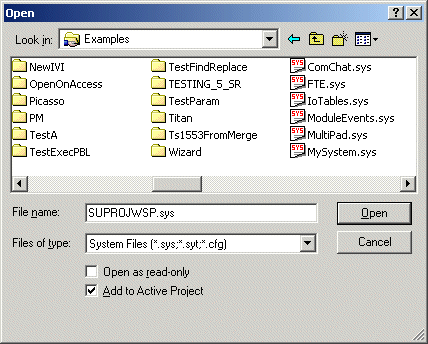
Select one of the system files displayed in the dialog box.
The selected system will appear in the tree view in the Workspace Window. It has been added to the active project.
Select the System (empty) shortcut below the project in the workspace window and click your right Mouse button. The context menu will appear:
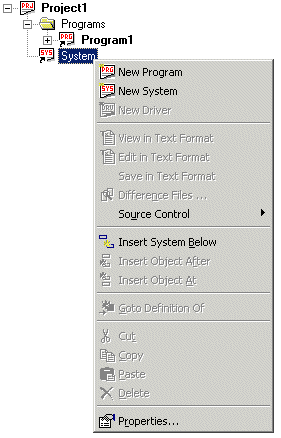
Select the Insert System Below context menu. Then the Insert System dialog displays:
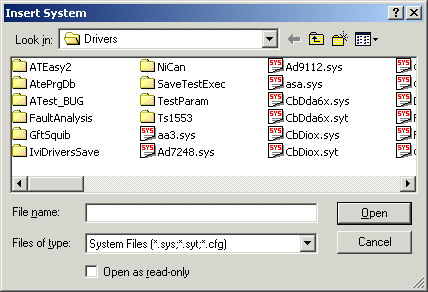
Select a system desired. Then the system will be added to the active project.